How to Import Leads from Facebook Groups into a CRM
The direct answer...
You import leads from Facebook Groups into a CRM by collecting publicly available profile data, centralizing conversations in a structured inbox, qualifying prospects inside a visual pipeline, and automatically pushing qualified contacts into your CRM through integrations or native syncing.
That’s the clean way.
The messy way?
Copy.
Paste.
Spreadsheet.
Forget.
Lose the lead.
If you’re serious about lead gen and outbound, here's the breakdown...
Why Facebook Groups Are a Goldmine for Lead Gen
Facebook Groups are not “engagement platforms.”
They are intent pools.
Inside a niche group you’ll find:
People asking buying questions
Founders describing pain points
Operators looking for solutions
Decision-makers actively researching
That’s warmer than cold outbound.
But most businesses fail at one thing:
Capturing and organizing that demand.
Step 1: Identify Signal-Based Prospects
Not every group member is a lead.
You’re looking for signals:
“Does anyone recommend…?”
“We’re struggling with…”
“Looking for help with…”
“What’s the best tool for…?”
These posts reveal timing and urgency.
Instead of scraping the entire group (which creates compliance risk and junk data), focus on:
Publicly visible profiles
Engaged commenters
High-intent posters
Signal > volume.
Always.
Step 2: Collect Public Profile Data the Right Way
When importing leads from Facebook Groups, you should only collect:
Public name
Public profile link
Public company information
Publicly listed contact details (if shared)
If email or phone is not publicly visible, don’t extract it.
Instead, move the conversation to:
DM
Booking link
Landing page opt-in
Permission-based growth wins long term.
Step 3: Centralize Conversations Before CRM Entry
Here’s where most outbound teams mess up.
They try to push every single person into the CRM immediately.
That clutters your system.
Instead:
Engage in DM first
Qualify the conversation
Confirm fit
Then push to CRM
Modern workflows use a centralized inbox that:
Captures DMs from Facebook
Assigns conversation stages
Tags qualification signals
Tracks engagement history
Only when a lead hits “Qualified” should they enter your CRM pipeline.
That keeps your CRM clean and high-intent.
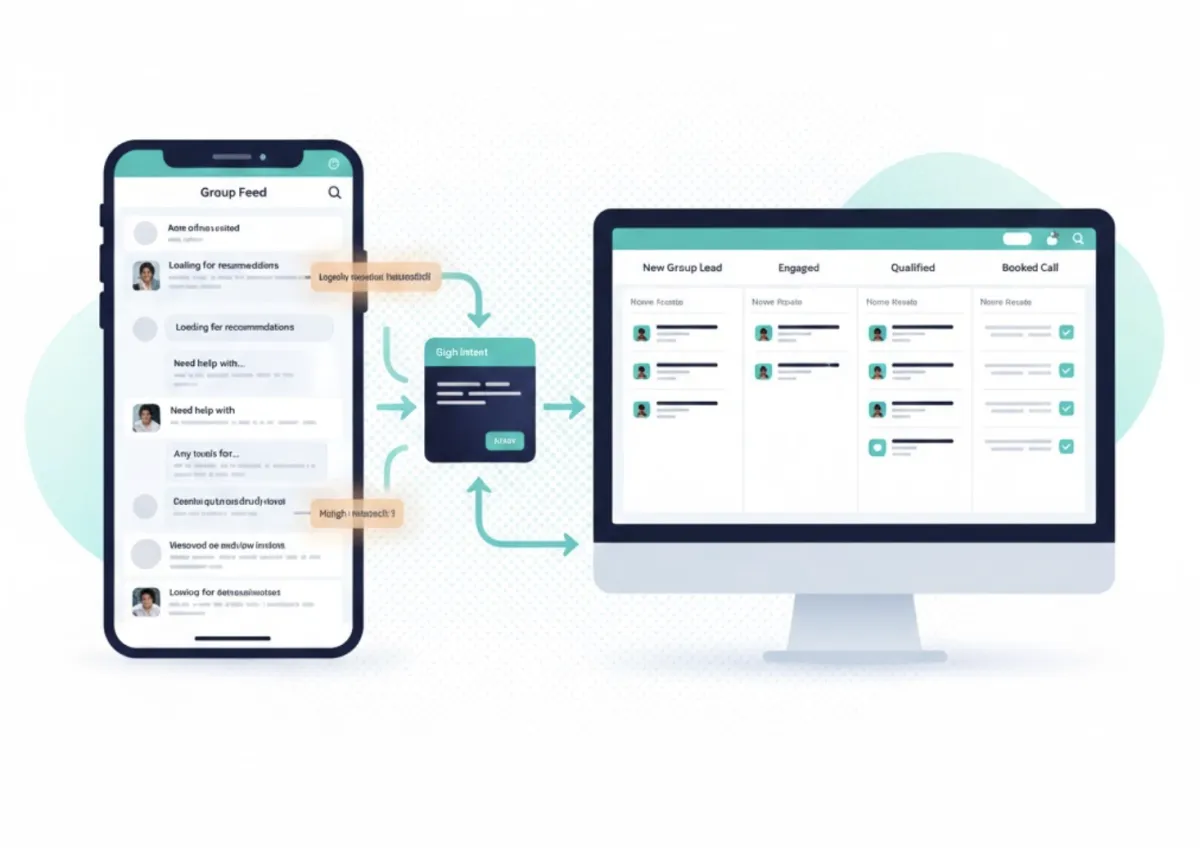
Step 4: Use a Visual Lead Pipeline (Not Just an Inbox)
A chronological inbox is chaos.
Instead, build structured stages like:
New Group Lead
Engaged
Pre-Qualified
Qualified
Booked Call
Disqualified
When a group member meets criteria (budget, role, urgency), move them forward.
When they don’t, exit cleanly.
This is where velocity increases.
Step 5: Automate CRM Syncing
Once qualified, leads should automatically sync into your CRM with:
Name
Profile URL
Conversation notes
Qualification tags
Assigned rep
Stage
Modern systems can auto-create contacts inside:
Salesforce
HubSpot
GoHighLevel
Pipedrive
No manual data entry.
No switching tabs.
No lost context.
Step 6: Layer AI for Qualification
AI can analyze DM conversations and surface:
Buying intent
Authority signals
Budget readiness
Timeline urgency
Objections
Instead of reading every message manually, AI flags what matters.
Human-in-the-loop always closes.
AI scouts.
The Right Way vs The Risky Way
Let’s address the elephant in the room.
Scraping entire Facebook Groups for hidden data is:
Against platform terms
Risky for account health
Reputation damaging
Importing public, permission-based data and qualifying through real conversations is:
Sustainable
Compliant
Higher converting
Outbound is evolving.
Spray-and-pray is dead.
Structured signal-based import wins.
Why This Matters for Outbound Teams
If your job is:
Generate qualified conversations
Book more calls
Improve ROI per rep
Then your workflow should look like:
Signal → Conversation → Qualification → CRM Entry → Close
Not:
Data dump → CRM clutter → Low conversion → Burnout
The cleaner the intake, the higher the close rate.
What Most Teams Get Wrong
They assume:
More leads = more revenue.
But if you import 500 unqualified group members into your CRM, you just created 500 distractions.
High-performing outbound teams focus on:
Fewer.
Cleaner.
Qualified leads.
Facebook Groups are powerful.
But only if you structure the import process correctly.
Final Thought
Importing leads from Facebook Groups into a CRM is not about scraping data.
It’s about:
Capturing intent
Structuring conversations
Qualifying intelligently
Syncing only real opportunities
If your CRM feels bloated and your close rate feels low…
The problem isn’t Facebook.
It’s your intake system.
Fix the intake.
The pipeline cleans itself.
Happy Selling!
-sean 🔥🕺
P.S. If you need a true CRM / Chat Management solution, book a call with our team to learn more about FlowChat and whether it's the right solution for you. BOOK BY CLICKING HERE.
If you need the right words when you get into the DMs, join our DM Deal Lab by CLICKING HERE.


